
Old photos are more than images; they capture real memories and stories. Over time, these moments fade. Colors dull, scratches appear, and damage grows, slowly erasing the past they hold.
If you’ve ever worried about losing family memories or valuable old images, you’re not alone.
This is where the best photo restoration software steps in, and today, it’s more powerful than ever. What was once limited to experts is now available to everyone. Thanks to advanced AI technology, restoring photos has become faster, smarter, and surprisingly easy.
In the upcoming years, professional-level best photo restoration tools will be able to repair damage, restore lost details, eliminate scratches, and even add natural colors to black-and-white images.
In this guide, you’ll learn:
- How AI is changing the way photo restoration works
- The must-have features professionals should look for
- A list of the 6 Photo Restoration Software for Professionals, including key features, pros, cons, and pricing, so you can confidently choose the right tool for your work
Let’s bring old memories back to life one photo at a time.
Understanding Photo Restoration Software
What It Is and Why It Matters
Photo restoration software is a special type of image editing tool made to fix old, damaged, or low-quality photos. It focuses on repairing problems like faded colors, stains, scratches, and cracks that appear over time.
The main goal is simple: take a broken or unclear photo and turn it into a clear, natural-looking image that feels close to the original or sometimes even better.
How Photo Restoration Software Works
Modern restoration tools use AI technology to do most of the hard work. Smart algorithms scan the photo, find damaged areas, adjust colors, and rebuild missing parts automatically.
For professionals, manual editing tools are also available. These allow fine touch-ups, better control, and accurate results so every restored photo looks real, clean, and true to the original.
Benefits of Photo Restoration Software for Professionals
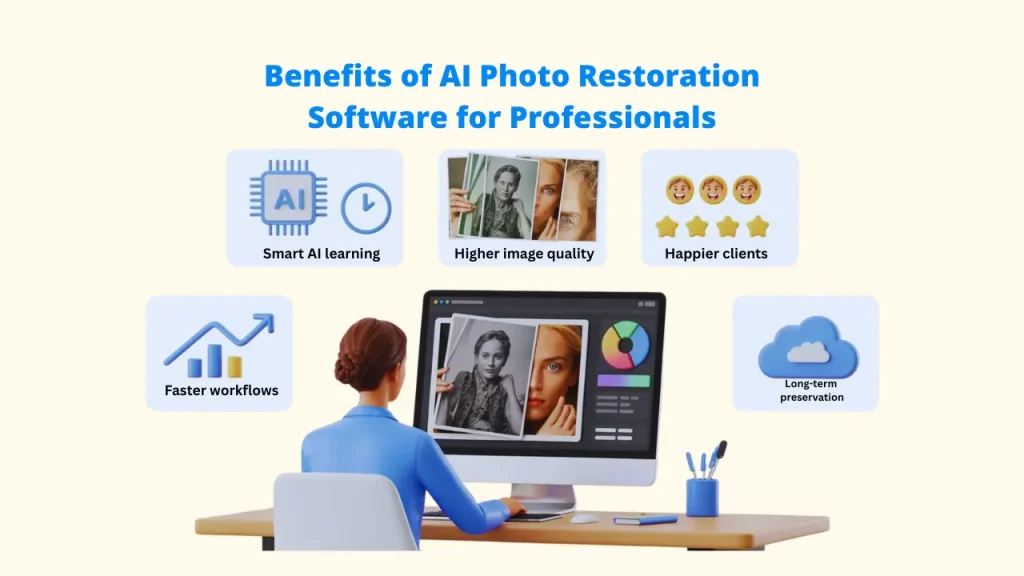
The rise of dedicated photo restoration software for professionals, particularly those employing AI, offers huge benefits to professional photographers and restoration specialists:
➕ Faster Workflows
AI with Photo Restoration Software takes care of most repetitive tasks, such as fixing scratches and correcting colors. This cuts editing time and helps you finish projects much faster.
➕ Higher Image Quality
Advanced algorithms rebuild fine details that are hard or nearly impossible to restore by hand, resulting in cleaner and more natural photos.
➕ More Ways to Earn
With the correct photo restoration software, professionals can provide high-end services like deep photo repair and realistic colorization, creating new revenue streams.
➕ Happier Clients
Sharp, restored images often go beyond client expectations, leading to better feedback and repeat work.
➕ Long-Term Preservation
Digital photo restoration software creates high-quality copies that stay safe and won’t fade or break down over time.
➕ Manual vs. AI Tools
AI photo restoration software tools like Pixci and VideoProc Converter provide automation, while manual programs like Corel PaintShop Pro and Photoshop offer fine-grained control; professionals often combine the two for best results.
Key Features to Look for in Photo Restoration Software for Professionals
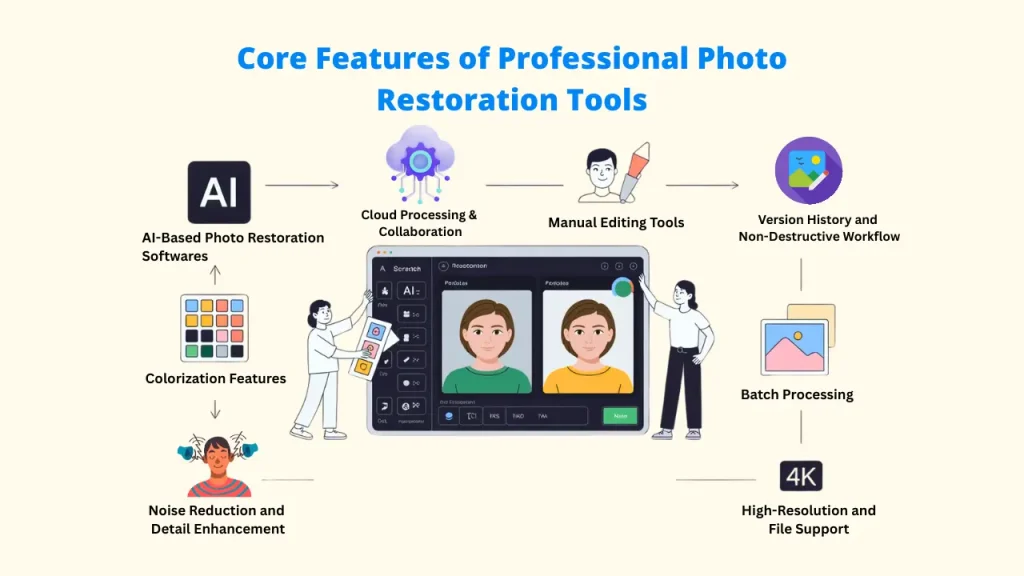
Choosing the right photo restoration software can make a big difference in your results and workflow. For professional use, these features are essential.
1. AI-Based Photo Restoration Software
Advanced AI models should automatically detect and repair scratches, stains, and damage while intelligently reconstructing missing details. Look for photo restoration software with dedicated models for different types of restoration (vintage photos, portraits, landscapes).
2. Manual Editing Tools
Comprehensive manual tools, such as healing brushes, clone stamps, precision masking, layer support, and non-destructive editing workflows for intricate restoration projects, are necessary for professional control over photo restoration software.
3. Colorization Features
Professional photo restoration needs accurate colorization. Strong software understands skin tones, fabrics, and historical details to apply natural colors.
The best tools combine one-click colorization with manual controls, allowing fine adjustments for realistic results.
4. Batch Processing
To save time, the software should process many images at once. Batch tools let you apply the same settings, reuse saved workflows, and restore large photo collections without slowing down.
5. High-Resolution and File Support
Professional projects require support for RAW, TIFF, PSD, and other advanced file types. The software should also upscale images to high resolutions up to 4K or higher while keeping image quality sharp and clear, making it ideal for old photo restoration.
Top 6 Photo Restoration Software for Professionals
1. Pixci
About the Tool
Marketed as a multi-AI toolkit, Pixci is focused on leveraging various AI models for graphics, including dedicated tools for revitalizing old photos, upscaling, and face enhancement. It emphasizes streamlined workflows and accessibility to multiple specialized AI engines.
Beyond basic restoration, it offers background removal, panorama extension, and AI-driven element replacement, making it ideal for both professionals and creative enthusiasts.

Pros and cons
☑️ Comprehensive all-in-one platform
☑️ No technical skill required; beginner-friendly workflows
☑️ Regular updates with new AI models
☑️ Supports both restoration and creative design tasks
❎ Newer platform with features still evolving
❎ May include more tools than needed for pure restoration
❎ Limited manual retouching control
Pricing
$27/month (often discounted to $17/month; annual plans available
What Makes It Different
Pixci merges multiple AI engines into one unified platform, offering unrestricted creative freedom and workflow automation that makes professional-quality restoration accessible even to non-experts.
2. VideoProc Converter AI
About the Tool
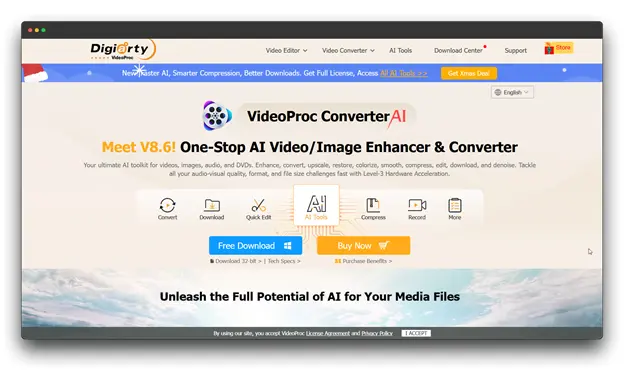
VideoProc Converter AI is a versatile multimedia toolkit that now includes advanced AI-powered photo restoration features. Optimized for old and vintage images, it combines super-resolution upscaling, face restoration, and colorization for professional-quality results.
Pros and Cons
☑️ Lifetime license option is excellent long-term value
☑️ High-quality facial detail restoration
☑️ One-time purchase with free updates
☑️ Doubles as a full multimedia suite
❎ Interface tailored more for video workflows
❎ Requires strong hardware for AI performance
❎ Some advanced tools may be excessive for basic photo restoration
Pricing
Lifetime license: $39.95 (often discounted from $90+); 1-year license: $29.95
What Makes It Different
VideoProc converter AI stands out as a hybrid photo-video restoration tool offering GPU-accelerated performance and lifetime ownership.
3. Luminar Neo
About the Tool
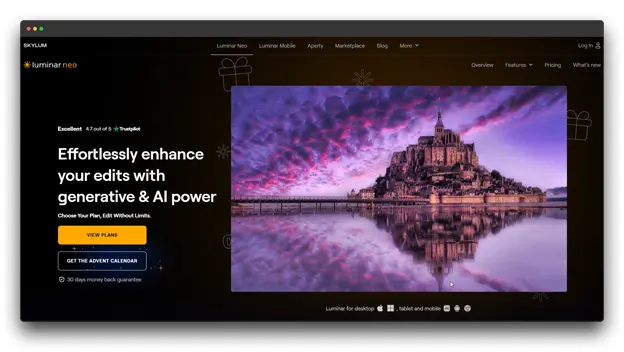
Developed by Skylum, Luminar Neo is a professional-grade AI photo editor known for its intelligent enhancement tools.
While not solely a restoration app, it’s highly effective for reviving old photos with natural color correction, blemish repair, and detail enhancement through AI-driven automation.
Pros and Cons
☑️ Produces professional-quality results with minimal effort
☑️ User-friendly interface suitable for all levels
☑️ Regular AI feature updates and strong user community
☑️ Combines restoration and creative enhancement seamlessly
❎ Pricier than basic restoration tools
❎ Some features may exceed the needs of pure restoration work
❎ Slight learning curve for full functionality
Pricing
Lifetime license $149, occasional discounts available
What Makes It Different
This software uniquely bridges AI photo restoration software and artistic enhancement, analyzing each image holistically to restore color, tone, and contrast while maintaining authenticity.
4. PhotoGlory
About the Tool
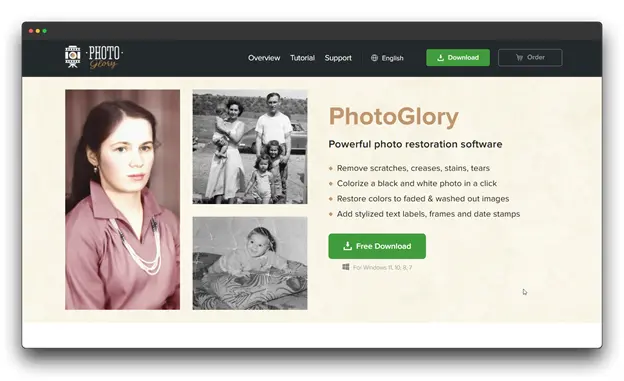
Software built specifically and exclusively for restoring old photographs. It features an intuitive, guided workflow perfect for dedicated restorers and high-volume work. Its key selling point is its specialized colorization and damage removal.
Pros and Cons
☑️ Extremely user-friendly interface
☑️ Balanced mix of AI automation and manual editing
☑️ Effective for heavily damaged photos
☑️ Fast processing and free lifetime updates
❎ Available only for Windows
❎ Limited advanced editing and creative tools
❎ Smaller user community than mainstream editors
Pricing
One-time purchase: $39.99
What Makes It Different
PhotoGlory stands out for its focused approach to restoration; every feature is tailored to reviving vintage photos rather than general photo editing, making it one of the most efficient tools for professional restorers and enthusiasts alike.
5. AKVIS Retoucher
About the Tool
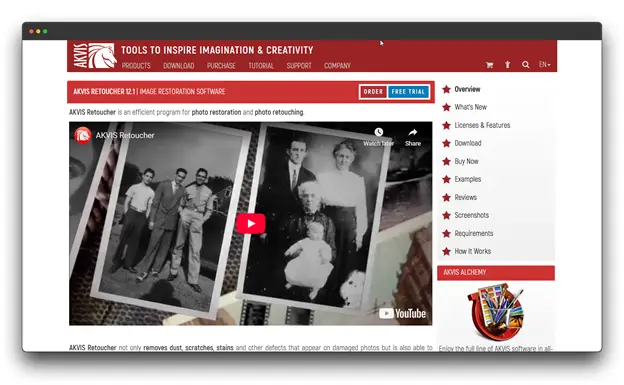
A highly specialized tool available both as a standalone application and a Photoshop-compatible plug-in. It focuses heavily on intelligent content reconstruction and inpainting to remove defects and fill in missing photo fragments based on surrounding data.
Pros and Cons
☑️ Highly accurate damage repair algorithms
☑️ Seamless reconstruction of missing image parts
☑️ Integrates easily into existing Photoshop workflows
☑️ Offers precise manual control over restoration
❎ Higher price compared to simpler AI tools
❎ Interface feels somewhat dated
❎ Requires technical skill for best results
Pricing
Home License: $87/year; Home Deluxe (Lifetime): $129; Includes 1 year of free updates
What Makes It Different
AKVIS Retoucher excels in complex image reconstruction, making it the go-to tool for professionals restoring photos with missing or heavily damaged sections that automated AI tools can’t fully recover.
6. PhotoWorks
About the Tool
PhotoWorks is an AI-enhanced photo editing software that offers comprehensive restoration capabilities alongside general editing tools.
Designed by AMS Software for both beginners and professionals, it provides an intuitive workflow with powerful automatic corrections and manual refinement options.
Pros and Cons
☑️ Intuitive, beginner-friendly interface
☑️ Fast processing with real-time previews
☑️ Strong mix of AI automation and manual tools
☑️ Great learning support with tutorials
❎ Limited layer and batch processing support
❎ Occasional lag on older hardware
❎ AI features not as advanced as premium suites
Pricing
Lifetime license $39–$45 (varies by promotion)
What Makes It Different
Its slider-based interface and AI-driven corrections make photo enhancement quick and accessible, perfect for users who want fast, effective restoration on a budget.
Tips for Professional Photo Restoration for Professionals
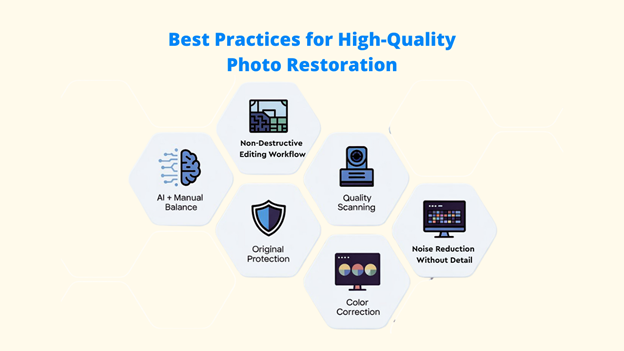
Good software alone is not enough for photo restoration. When you use the proper technique, you can maintain the original feel of the picture while producing crisp, polished results.
1. Mix AI Tools with Manual Editing
For the best results, combine AI automation and manual Photo Restoration Software. Use AI tools to do the heavy lifting, such as removing damage, restoring colors, and increasing resolution, and then manually refine details to maintain authenticity and the photograph’s original character.
2. Preserve Originals Before Editing
Always protect your original images before making changes.
Best practices include:
- Scan photos in high resolution
- Keep backup files in different formats, such as TIFF for storage and PSD for editing
- Store copies both locally and in the cloud
- Save multiple versions as you work
With the right assistance, Pixci AI facilitates various image modifications and employs advanced AI models to deliver high-quality results.
3. Use High-Resolution Scans
The better the input image, the better the restoration result with the right assistance of the best photo restoration software.
Recommended steps
- Clean photos gently before scanning
- Scan in color, even for black-and-white photos
- Save files as TIFF or PNG to avoid quality loss
4. Calibrate Your Monitor for Accurate Color Restoration
When fixing faded colors or adding color to black-and-white photos, screen accuracy matters. A calibrated monitor ensures the colors you see on screen match the final output, especially for print work.
Conclusion
Old photos hold moments that can never be replaced, but they don’t have to fade away. In the future, photo restoration software will enable you to quickly, accurately, and carefully restore damaged photos.
For professionals, the best software does more than restore photos it fits smoothly into your workflow. The ideal solution blends fast AI automation with precise manual control, helping you save time without sacrificing quality.
If you want a smart, modern, and well-balanced AI tool, Pixci is a strong choice. For complete creative control and industry-level editing, Photoshop remains unmatched.
Before committing, explore trial plans and refund options. Test the best photo restoration software on your toughest photos and see which one truly delivers the results you expect.
Don’t let time erase your memories. Start restoring today and turn yesterday’s moments into lasting history.
FAQs About Photo Restoration Software
Q: Can photo restoration software fix severely damaged photos?
A: Yes, modern AI-powered restoration software can repair extensive damage, including large tears, water stains, and missing portions. However, extremely damaged areas may require manual reconstruction or professional human retouching services for historically accurate results.
Q: Is colorization of black-and-white photos accurate?
A: AI colorization has become remarkably accurate, analyzing skin tones, fabrics, and environmental context. However, for historical authenticity, research period-appropriate colors and use manual adjustment tools to refine automated colorization results.
Q: Do I need professional photography skills to use restoration software?
A: No. Many modern restoration tools like Pixci, PhotoGlory, and LetsEnhance are designed for beginners with one-click automation.
Q: How long does photo restoration take?
A: AI-powered restoration can process images in seconds to minutes. Manual professional restoration ranges from 30 minutes to several hours per photograph, depending on the complexity.