
Struggling with endless stock photo searches or complicated design tools? You’re not alone.
Until recently, creating eye-catching visuals required considerable time, money, and effort. But with the rapid rise of AI image generators, image generation has become just a prompt away.
These tools have evolved from experimental novelties into essential resources for content creators, marketers, designers, and anyone looking to turn ideas into stunning visuals quickly and effortlessly.
Whether you’re creating a social media post, running a campaign, designing a website, or simply exploring your creativity, visuals are key to capturing attention and making your message stand out.
That’s where AI image generators shine.
With just a few words, you can create original and stunning images in seconds. The possibilities are endless and surprisingly easy to explore.
In this guide, you will take a closer look at how these tools work, what sets the best ones apart, and which AI image generators are truly worth your time in 2025.
Do get ready now to unlock a fresh dimension of visual creativity!
Understanding AI Image Generators Technology in 2025
AI image generator technology has come a long way in the last few years, and by 2025, it will have become even more advanced. Today, there are three main ways this technology works. These tools now use smarter systems to make better images.
- Diffusion models: perfect for realism in high detail.
- Transformers: excellent at understanding and writing difficult prompts.
- Hybrid approaches: using both for better creative control.
Key Technological Advances Since 2025
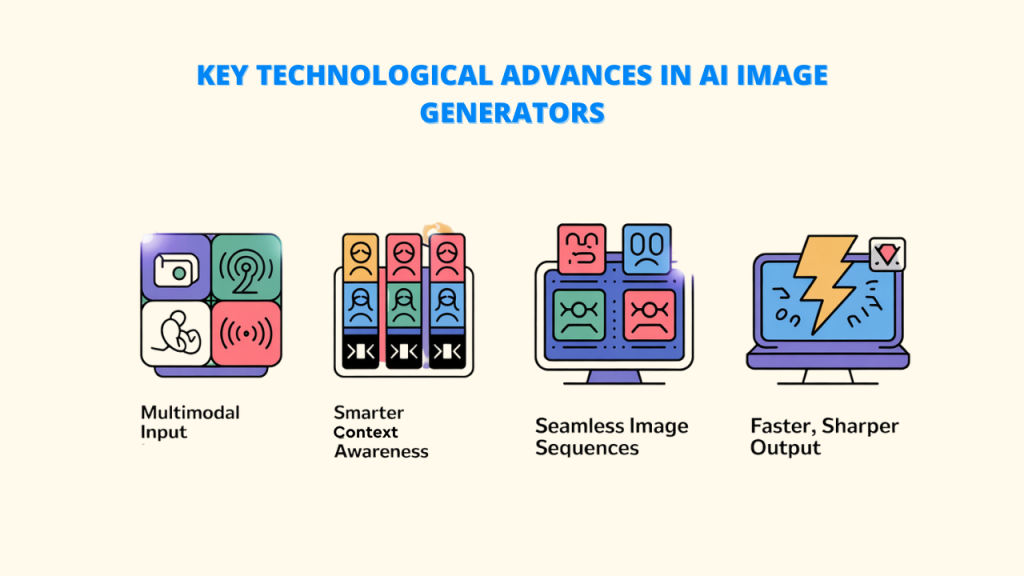
Since 2025, AI image generator tools for creating images have seen some major upgrades:
A. Better Understanding of Different Inputs: The latest AI image generator tools can now understand not just text but also images, drawings, and even sounds to help create more detailed results.
B. Smarter Use of Context: These tools can now follow storylines better, making sure that characters look the same in every scene. Beyond generation, Pixci allows you to modify existing photos and graphics
C. More Consistent Image Sequences: Although full video creation is still hard, AI can now make a series of images that stay consistent from one to the next.
D. Faster and Higher Quality: Improved design methods have made these tools faster and less demanding on computers, while also making the pictures look even better.
Personalization and Fine-tuning
The ability to personalize AI image generators is among the most significant advancements.
- Using only a few examples, models are trained on distinct styles.
- Keeping the character’s look the same across different images
- Tuning models for specific brands is useful in marketing
- Expert results in areas like building design, clothing, and product visuals
What Makes an AI Image Generator “High-Quality” in 2025?
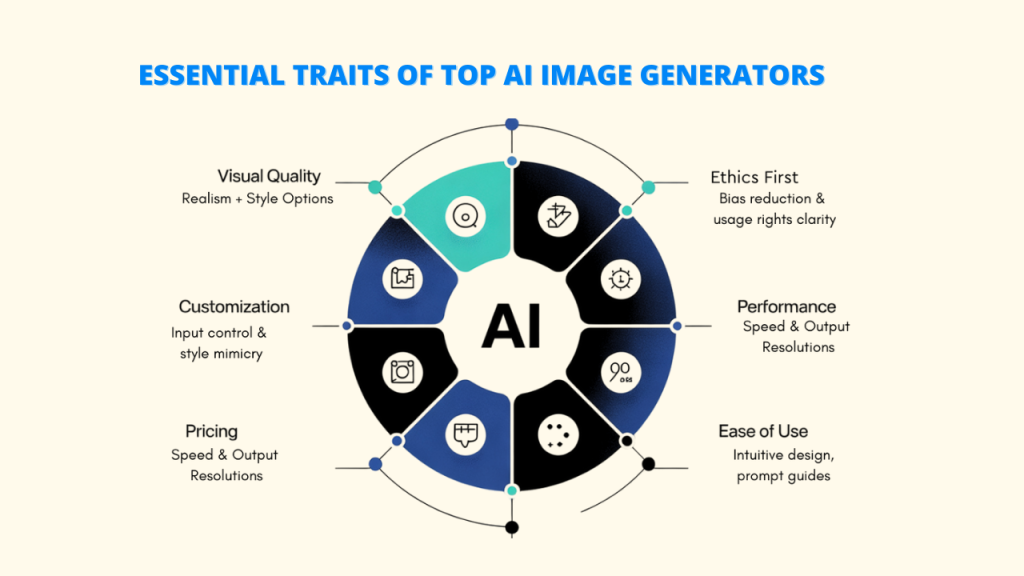
Not all artificial intelligence image tools are the same. In 2025, a superior AI image generator differs in several important ways:
A. Realism and Creative Style Choices:
- Realism: Making realistic-looking images is critical for some applications. With the right lighting, textures, and minute details, a top-notch AI tool can produce images that actually look like real photographs.
- Creative Style Options: Good tools don’t just make real-looking images—they also support many art styles like drawings, paintings, abstract, or futuristic looks. It allows users to experiment with various creative ideas.
B. Customization & Style Transfer Capabilities:
- Personalization: Users can more precisely control the image results by using specific settings, such as prompts that tell the AI what not to include.
- Style Copy: By allowing the AI to mimic the appearance of a famous artist or a particular image, the result is more distinctive and personal.
C. Speed and Resolution Output
- Speed: While quality matters most, the time it takes to create an image is also important, especially for users who need many images quickly.
- Image Quality: A high-quality AI image generator can create images in different resolutions, perfect for everything from social media to printing. Tools like Pixci offer high-res downloads with automatic resizing.
D. Cost (Free vs Paid):
- Free Options: Some generators offer free plans with limits on usage, features, or image quality. These are good for trying things out.
- Paid Plans: Paid subscriptions usually give you more usage, faster speeds, extra features, and better quality. The value depends on how often and for what you plan to use the tool.
E. User Interface & Ease of Use:
- Easy Design: Both novices and experts will find it easy to use thanks to its straightforward, user-friendly layout. Clear controls and organized features are essential.
- Prompt Help: Some tools provide tips and examples to help you create better prompts. You can save your favorite prompts and custom workflows for later, like with AI like Pixci.
F. Ethical Considerations:
- Reducing Bias: Ethical AI aims to reduce biases in images related to race, gender, and other sensitive topics.
- Clear Information: It’s important to have clear rules about the rights and limits of using generated images.
Best High-Quality AI Image Generators of 2025: Our Expert Picks
1. Pixci
Overview
Pixci is already gaining attention with its super-realistic images and options for commercial use. The version mixes high-quality realism with easy access to many top AI models, making image generation simple with hundreds of ready-to-use workflows.
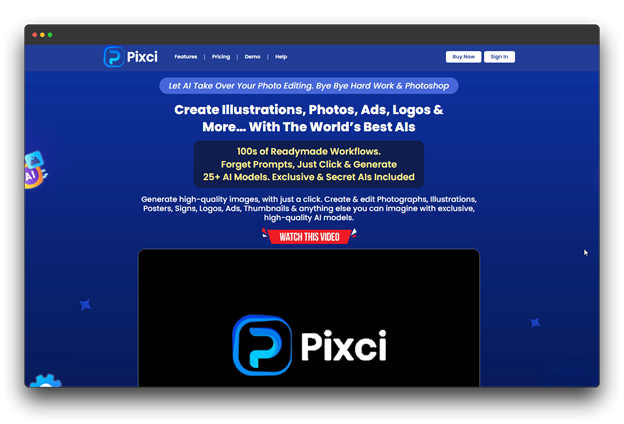
Main Characteristics
- Both image-to-image and text-to-image
- Top-level realism for people, with correct body shapes and facial looks
- Access to High-Quality, Uncensored Models
- Special tools for building design, product visuals, and fashion
Pros and Cons
✓ Best-in-class realism with fine detail
✓ Easy-to-use design with no tech skills needed
✓ Fast results (under 5 seconds for normal images)
✓ Great at handling images with many subjects
✗ A steeper learning curve
Pricing: $27 per month with free upgrades.
Who It’s For
Pixci is perfect for photographers, ad agencies, and online sellers needing realistic product images.
2. Midjourney (v6)
Overview
The V6 version of Midjourney keeps leading in creative and artistic image making. While it’s not focused on making images look real, it stands out with its unique and emotional art style that many users love and can’t replace.
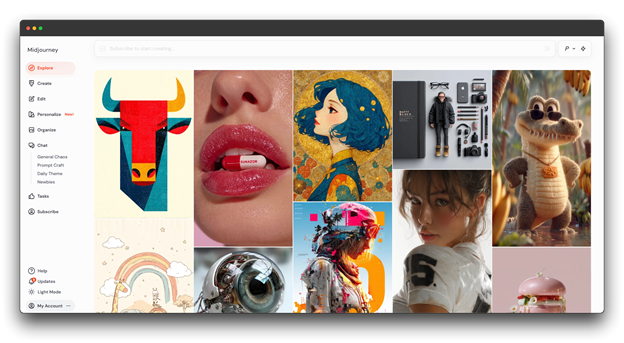
Main Characteristics
- Uses Discord, now with a growing web app
- Better understanding of complex image layouts
- Known for its creative and unique style
- Large user community with many style examples
Pros and Cons
✓ Top-level artistic quality and variety
✓ Helpful community for ideas and support
✓ Gets updates often
✗ Not as realistic as other tools
✗ Limited tools for editing images
Pricing : For $10 per month with basic features.
Who It’s For
Midjourney is great for artists, creatives, and anyone who values style over realism.
3. Leonardo.AI
Overview
Leonardo. AI is known as a top choice for professionals who create characters and story-based images. Its focus on keeping characters looking the same in every image makes it a key tool for game makers, animators, and storytellers.
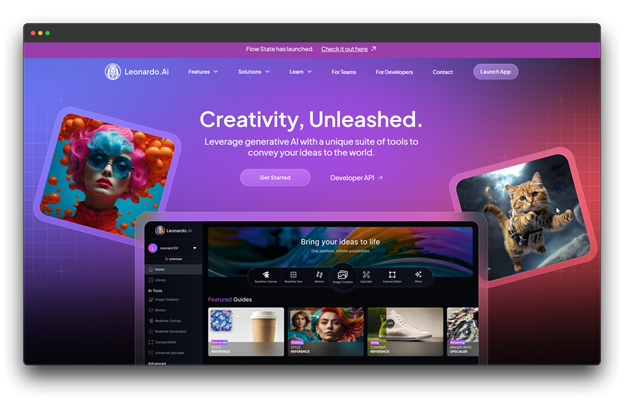
Main Characteristics
- Keeps characters looking the same in every image
- Advanced tools to customize characters
- Top-level control of poses and body accuracy
- Works with popular 3D and animation tools
Pros and Cons
✓ Great at keeping character style consistent
✓ Perfect for storytelling visuals
✓ Lots of ready-made base characters
✗ Not ideal for non-character images
✗ Harder to learn than basic tools
Pricing : For $49/month with API credits
Who It’s for:
Leonardo.AI is best for game developers, animation teams, comic creators, and anyone who needs characters to look the same across different scenes.
4. Artbreeder
Overview
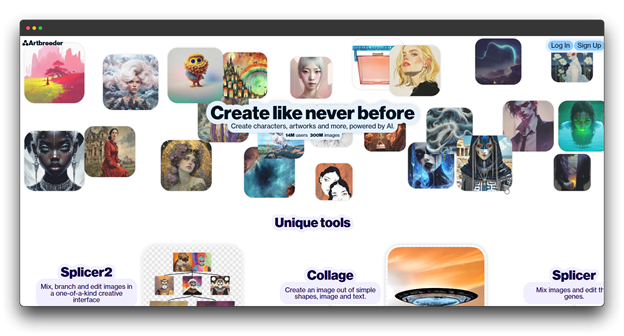
Artbreeder started as a tool for mixing images using “genes” and has grown into a top platform for creating images through collaboration and step-by-step changes. It lets images grow and change over time, often leading to surprising and creative results.
Main Characteristics
- Image editing using gene sliders
- Step-by-step image generation
- Large library of starting images
Pros and Cons
✓ Fun for artistic and abstract designs
✓ Easy-to-use sliders for edits
✗ Less control than typing prompts
✗ Not made for realism AI image generators
Pricing : For $18.99/month with API credits
Who It’s For
Artbreeder is great for artists who like to experiment, schools, and creative thinkers. It’s also useful for teams who want to explore ideas together visually.
5. Shutterstock AI Image Generator
Overview
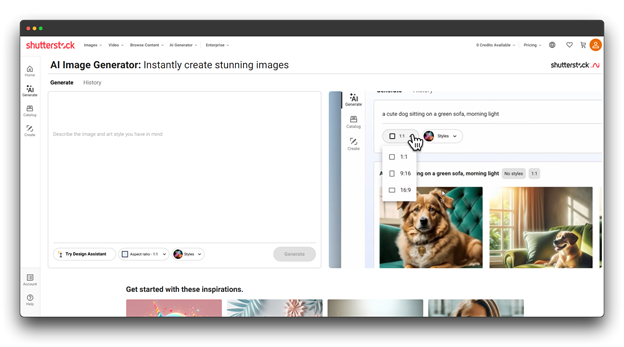
Shutterstock’s AI Image Generator uses its huge photo library to create images made for business use, with clear rules on how they can be used. It works well with the rest of Shutterstock’s tools, making it useful for creating commercial content.
Main Characteristics
- Ready-to-use images with clear usage rights
- Works smoothly with other Shutterstock tools
- Business-friendly templates and settings
Pros and Cons
✓ Clear rules for using images in business
✓ Templates and formats made for companies
✗ Not as flexible for creative artwork
✗ Needs a Shutterstock subscription for full access
Pricing : For $49/month with API credits
Who It’s For
Shutterstock AI image generators works best for marketing teams, content makers, and businesses that need safe-to-use images. Its smooth connection with Shutterstock tools helps speed up the process.
6. NightCafe Studio
Overview
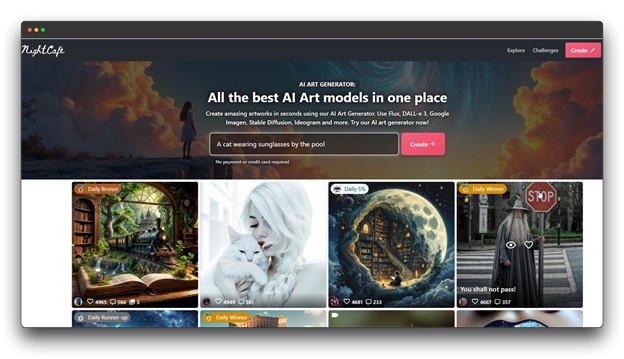
NightCafe is an easy-to-use creative tool that offers strong features without being hard to learn. Its credit-based setup and simple design make it a favorite for hobbyists and beginners trying AI art without needing tech skills.
Main Characteristics
- Simple interface that’s easy to use
- Active gallery and sharing options
- Credit-based system with a free option
Pros and Cons
✓ Great for beginners
✓ Offers different AI tools in one platform
✓ Supportive and active community
✗ Fewer advanced tools
✗ Lower image quality in the free plan
Pricing : For $9.99/month with API credits
Who It’s For:
NightCafe AI image generators is ideal for casual users, beginners, and hobby artists who want to try AI art in a fun and affordable way.
7. Wombo Dream
Overview
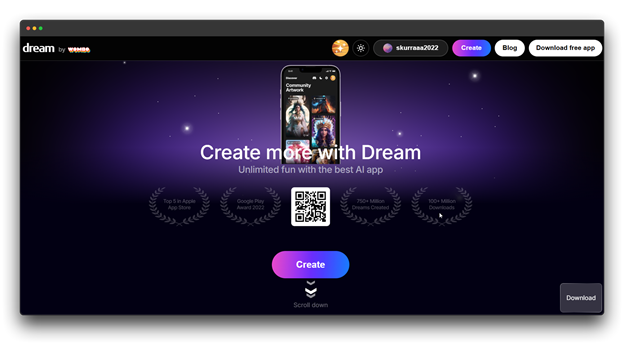
Wombo Dream is a top mobile-first AI art app, made for phones and tablets as AI image generator. Its easy design and fast results make it great for creating art anytime, anywhere.
Main Characteristics
- Easy-to-use with ready styles
- Fast image creation
- Built-in social media sharing
Pros and Cons
✓ Great for phones and tablets
✓ Quick art generation for use on the go
✗ Lower image quality than premium tools
✗ Not many advanced options
Pricing : For $9.99/month with API credits
Who It’s For
Wombo Dream is best for mobile users, social media creators, and anyone wanting to make AI art quickly without a computer.
8. Fotor AI Image Generator
Overview
Fotor has added AI image creation to its photo editing tools, making it easy to go from generating images to editing them in one place. This is useful for tasks that need both AI and manual editing.

Main Characteristics
- Built-in photo editing tools
- Good for improving and changing photos
- Uses templates for common tasks
- Can edit many images at once.
Pros and Cons
✓ Smooth process from image creation to editing.
✓ Handy templates for regular use
✗ The interface may appear crowded.
✗ Fewer style options
Pricing: For $299/month with API credits
Who It’s For
Fotor works well for photographers, marketers, and creators who want to create and edit images in one app, especially when some edits still require manual adjustments.
9. Starry AI
Overview
Starry AI stands out as the top tool for making space and astronomy-related images. Its models are trained to display space scenes in a way that appears realistic and adheres to scientific principles.

Main Characteristics
- Focused on space and astronomy images
- Realistic and science-based space visuals
- Custom models for different space events
- Educational tools and labels
Pros and Cons
✓ Best image quality for space visuals
✓ Very accurate and science-based
✗ Not useful for other image types
✗ Smaller community of users
✗ Limited art styles
Pricing : For $35/month with API credits
Who It’s For:
Starry AI is great for science teachers, space fans, sci-fi artists, and anyone who needs high-quality, realistic space images.
Comparison Table for Best High-Quality AI Image Generators
| Title Name | Best For | Pricing | Main Benefits |
| Pixci | Photorealism | $27/month | Super-realistic images, access to many top models, fast generation, architectural |
| Midjourney (v6) | Artistic creation | $10/month | Unique art style, strong for emotional/abstract visuals |
| Leonardo.AI | Character design | $49/month | Consistent character creation, pose control |
| Artbreeder | Experimental art | $18.99/month | Gene sliders for image evolution, iterative image creation |
| Shutterstock AI | Commercial imagery | $49/month | Integration with Shutterstock tools, professional templates |
| NightCafe Studio | Beginners | $9.99/month | Beginner-friendly, variety of AI models |
| Wombo Dream | Mobile creation | $9.99/month | Fast and mobile-first, built-in sharing |
| Fotor AI Generator | Photo enhancement | $299/month | Built-in photo editing, batch editing |
| Starry AI | Space imagery | $35/month | Accurate and realistic space imagery, educational features |
How to Use AI Image Generator Apps for Maximum Impact

1. Understand the Capabilities
Before you start, learn what the AI image generator is good at. Each one has things it does well and things it doesn’t. Knowing this helps you write better prompts that match its strengths.
Try different ways of writing prompts to see what gives you the best results for your needs.
2. Experiment with Different Styles
Don’t stick to just one look. AI image generators today can make all kinds of styles, from real-looking photos to wild, artsy images.
Use different styles and image ideas to find new and creative results. With Pixci, you might get access to special AI models that aren’t found in other tools, giving you fresh and unique images.
3. Improve Step by Step
AI image-creating tools usually don’t give perfect results right away. Use the first images as a base and build from there.
You can alter or create new versions or combine different images to achieve the desired final look with the majority of AI image generator platforms.
4. Use Feedback to Improve
Share your draft images with team members or clients early. Their opinions can help you make better changes.
Many pros use a feedback system where people give input during each step before the image is finished. Tools like Pixci let you try many AI styles, helping you explore more creative options.
5. Stay Updated with Trends
AI image tools change fast. Stay updated by checking platform news, user groups, and art showcases.
This helps you learn new tricks, better ways to write prompts, and use new features that can improve your work and give you fresh ideas.
Conclusion
As you move through 2025, your creative toolkit is more powerful than ever. Whether you’re drawn to Pixci’s realistic renderings, Midjourney’s artistic flair, Leonardo AI’s character consistency, or the imaginative spark of StarryAI, each platform offers something unique.
There is no single best tool. It depends on what fits your creative flow. Explore, experiment, and feel free to mix tools to get the results you want.
However, if you’re after a robust, all-around platform on a budget, Pixci stands out. With access to several advanced models and features for everything from logo design to image editing, it helps streamline your creative process, saving time and boosting productivity.
New features, smarter models, and fresh innovations are arriving constantly. The more you explore, the more you’ll unlock new creative possibilities.
Pick a tool, test it out, and start turning your ideas into visuals that are wow.